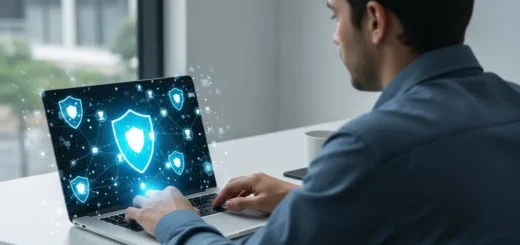
How Can You Secure Your Home Network? Practical Cybersecurity Tips for 2026
Hardening Your Home Network Infrastructure
The router is the gateway to a man’s digital life. If he leaves the front door unlocked, he invites every script kiddie and automated bot on the internet to snoop through his private data. Practicing cybersecurity at home starts with securing the hardware that connects him to the world.
First, he must change the default administrative credentials. Most routers ship with generic logins like “admin/admin,” which are the first things an attacker will try. He should also disable WPS (Wi-Fi Protected Setup), as it remains a notorious vulnerability. For those looking to elevate their defense, integrating the best firewall software for home use provides a granular level of control that standard ISP routers simply cannot match.
- Update Firmware: Manufacturers release patches to fix critical security holes. He should check for updates monthly.
- Network Segmentation: He can create a separate guest network for IoT devices like smart fridges or light bulbs. This ensures that if a cheap smart device is compromised, the attacker cannot easily jump to his primary computer.
- Encryption Standards: Always use WPA3. If his hardware doesn’t support it, WPA2-AES is the minimum acceptable standard in 2026.
Implementing Strict Device Hygiene
Every device a man owns is a potential entry point. From his smartphone to his desktop, maintaining a clean digital environment is a daily habit, not a one-time setup. He needs to ensure that his operating system and all installed applications are set to auto-update. Vulnerabilities are discovered daily, and the time between a bug being found and an exploit being launched is shrinking.
He should also be wary of what he installs. Browser extensions are a common vector for data exfiltration. A disciplined user audits his installed apps regularly and removes anything he no longer uses. If he wants to take his skills further and understand the mechanics of threats, he might consider setting up a virtual lab for malware analysis. This allows him to safely observe how malicious code operates in a controlled, isolated environment without risking his personal files.
Mastering Identity and Access Management
Passwords are the weakest link in the security chain. In 2026, relying on a single password—no matter how complex—is a recipe for disaster. A man practicing high-level cybersecurity uses a dedicated password manager to generate and store unique, high-entropy strings for every single account he owns.
Multi-Factor Authentication (MFA) is non-negotiable. He should prioritize hardware security keys or authenticator apps over SMS-based codes, which are susceptible to SIM-swapping attacks. By requiring a physical token or a time-based code, he ensures that even if his password is leaked in a third-party data breach, his account remains inaccessible to the intruder.
Defending Against Social Engineering
The most sophisticated firewall in the world cannot stop a user from clicking a malicious link. Social engineering remains the most effective tool in an attacker’s arsenal because it exploits human psychology rather than software bugs. He must train himself to be skeptical of every unsolicited communication, whether it arrives via email, text, or a phone call.
Phishing attempts in 2026 are often AI-generated, making them nearly indistinguishable from legitimate corporate emails. He should always verify the sender’s address and avoid clicking links directly. Instead, he should navigate to the official website manually. He understands that no legitimate bank or service provider will ever ask him for his password or MFA code over the phone.
Frequently Asked Questions
Is a VPN enough to stay safe at home?
No. While a VPN encrypts his traffic and hides his IP address from the websites he visits, it does not protect him from malware, phishing, or weak passwords. It is only one tool in a much larger security stack.
How often should I scan my computer for malware?
A man should have real-time protection enabled at all times. Additionally, he should perform a full system scan at least once a week to catch any dormant threats that might have bypassed initial detection.
Are smart home devices a security risk?
Yes. Many IoT devices have poor security standards and rarely receive updates. He should keep them on a separate network and disable any features he doesn’t actively use, such as remote access or built-in microphones.
Should I use a public DNS or my ISP’s DNS?
Using a privacy-focused DNS like Cloudflare (1.1.1.1) or Quad9 can improve his security by blocking known malicious domains at the network level, often performing better than his ISP’s default settings.